
5 Best WordPress SEO Plugins Compared (2026 Guide)
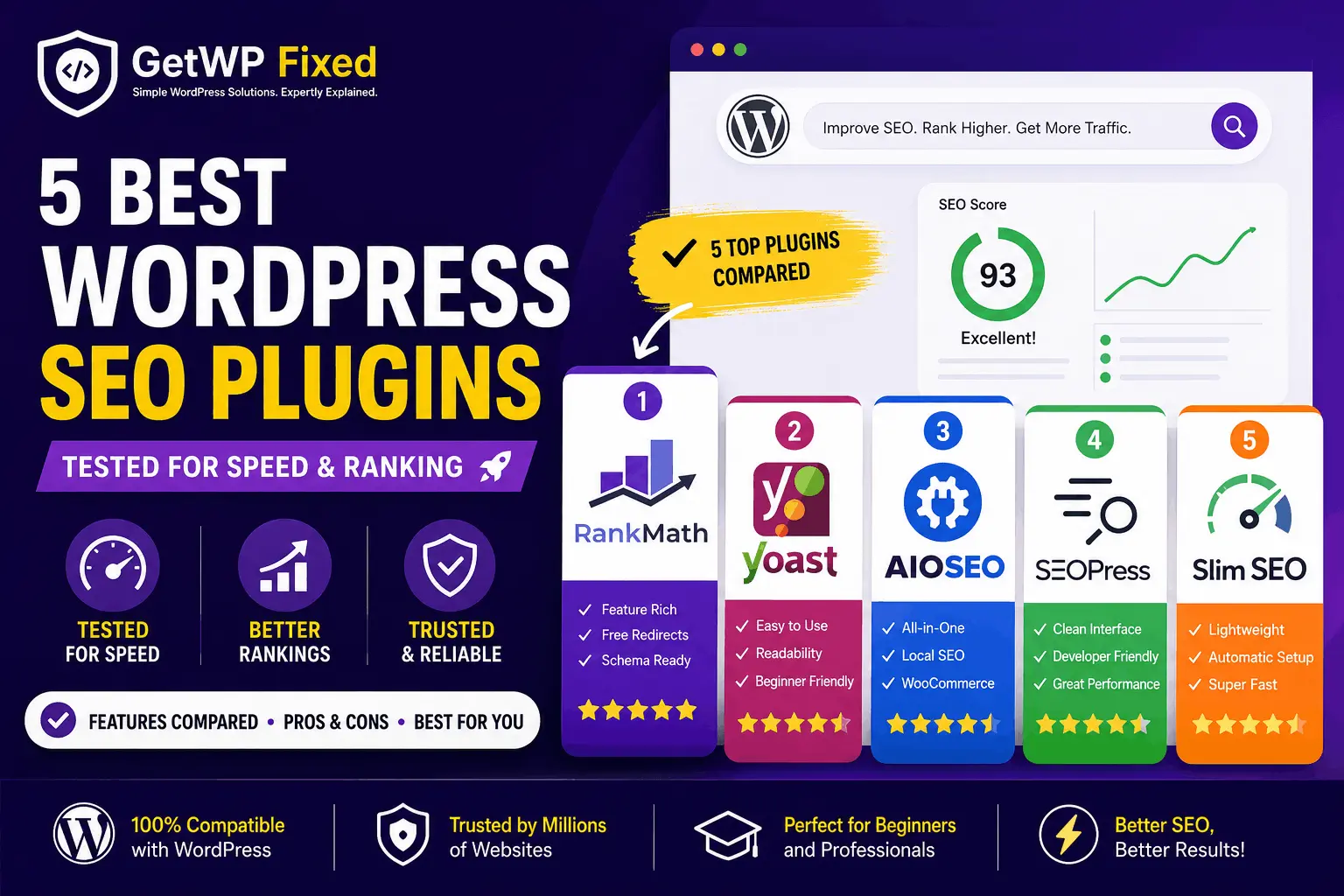
If you’ve recently built a WordPress website, one of the first questions you’ll probably ask is: Which SEO plugin should I use? Search for “best WordPress SEO plugins” and you’ll quickly find a long list of options. Rank Math, Yoast SEO, All in One SEO, SEOPress, Slim SEO — they all promise to make SEO easier. But choosing an SEO plugin isn’t really about finding the plugin with the longest feature list. A personal blog doesn’t need the same tools as a WooCommerce store. A beginner may want a simple dashboard, while someone managing several client websites may want better control over redirects, schema, and technical SEO. For this comparison, I looked at the things that actually matter when you use an SEO plugin on a real WordPress website: So, which one should you choose? Let’s compare them.Quick Answer If you want the short version: Rank Math is my pick for the best overall SEO plugin for most WordPress websites. It offers a strong collection of SEO features, including schema, redirects, sitemaps, and WooCommerce-related SEO tools. Yoast SEO is still an excellent choice if you prefer a simpler and well-established SEO workflow. AIOSEO is worth considering for business websites and WooCommerce stores. SEOPress is particularly attractive to developers, freelancers, and agencies that prefer a clean interface. And if you want something that handles most of the basic SEO work automatically, Slim SEO is one of the simplest options. There isn’t one plugin that is perfect for everyone. At a Glance Item Details Difficulty Beginner to Intermediate Reading time About 12 minutes Plugins compared 5 Best overall Rank Math Best for beginners Yoast SEO Best for businesses AIOSEO Best for developers SEOPress Best lightweight option Slim SEO Updated August 2026 What Should You Look for in a WordPress SEO Plugin? Before choosing a plugin, it helps to understand what you’re actually getting. An SEO plugin doesn’t magically make a website rank higher. Instead, it gives you tools for handling things such as: The important thing is not how many features a plugin has. It’s whether you will actually use those features. A plugin with 100 settings isn’t necessarily better than one with 30 settings if the extra options only make your website harder to manage. How I Compared These SEO Plugins I focused on the features that are useful during normal WordPress work rather than simply comparing the number of buttons in each dashboard. Setup and Ease of Use The first question is simple: Can you get the plugin configured without spending hours going through documentation? A good SEO plugin should give beginners sensible defaults while still allowing experienced users to change important settings. SEO Features I looked at the core tools most WordPress websites need: Free Version The free version matters, especially if you’re running a personal blog or a small business website. A plugin can have an impressive feature list, but if most of the useful tools are locked behind a paid plan, that changes the value considerably. WooCommerce Support WooCommerce websites have additional SEO requirements. Product pages need appropriate structured data, product information needs to be handled correctly, and store owners often need more control over indexing and metadata. Also read: How to Fix a Corrupted WordPress Database (2026 Guide) Day-to-Day Experience This is one area that doesn’t show up well in feature comparison tables. You might use your SEO plugin every time you publish a post. So the interface should make common tasks easy rather than turning every article into a technical project. Quick Comparison Plugin Best For Ease of Use Advanced SEO Free Version My Rating Rank Math Most websites Excellent Excellent Excellent ⭐⭐⭐⭐⭐ Yoast SEO Beginners Excellent Very Good Good ⭐⭐⭐⭐☆ AIOSEO Businesses & stores Excellent Excellent Good ⭐⭐⭐⭐☆ SEOPress Developers & agencies Very Good Excellent Very Good ⭐⭐⭐⭐☆ Slim SEO Simple websites Excellent Basic–Good Good ⭐⭐⭐⭐☆ Ratings are my overall assessment of usability, features, flexibility, and value. They are not Google ranking scores. 1. Rank Math – Best Overall SEO Plugin Best for: Most WordPress websites If I were starting a new WordPress website today, Rank Math would be one of the first SEO plugins I’d consider. Its biggest advantage is the amount of functionality available without making you install several separate plugins. Rank Math includes tools for things such as XML sitemaps, schema markup, redirects, SEO analysis, and WooCommerce SEO. It also has a setup wizard that makes the initial configuration fairly straightforward. The plugin’s content analysis can be useful when you’re writing an article because it gives you a checklist of SEO elements to review. You don’t have to follow every suggestion blindly, though. SEO plugins can identify technical issues, but they can’t decide whether an article is actually useful to readers. What I Like Rank Math’s own documentation confirms that its free version includes WooCommerce SEO functionality, while additional product features are available in Rank Math PRO. What Could Be Better The number of settings can be intimidating when you first install it. If you’re new to WordPress SEO, don’t try to configure everything immediately. Start with the basic settings and only enable advanced features when you actually need them. Best For Overall rating: 5/5 2. Yoast SEO – Best for Beginners Best for: Beginners, bloggers, and small business websites Yoast SEO has been around for a long time, and there’s a good reason it remains popular. The interface is relatively easy to understand, and its content analysis tools make it approachable for someone who is still learning SEO. The readability analysis is particularly useful for beginners because it encourages you to pay attention to paragraph length, sentence structure, headings, and other readability factors. Yoast also generates structured data automatically. Its current documentation says that schema support is included in the free plugin, while additional features such as the Redirect Manager are available in premium products. What I Like What Could Be Better Some advanced features require a paid version. For example, Yoast’s Redirect Manager is included with Yoast SEO … Read more