Dattatraya Harchekar, Author at Get WPFixed

Why is My Elementor Site So Slow? (The 2026 Speed Fix Guide)
Expert guide to fix slow Elementor website speed and performance

I love Elementor, but if your pages take forever to load, you need to fix slow Elementor website performance issues immediately. It’s a common frustration: you add a few widgets and suddenly your Google PageSpeed score is in the red. At GetWPFixed, I’m all about speed, so let’s look at the deep-dive steps I use to get your site flying in 2026. 1. Using Built-In Settings to Fix Slow Elementor Website Issues Many users don’t realize that Elementor has built-in performance “switches” that are turned off by default. Over the last year, the developers have added several “Experiments” that are now stable features. Also read: How to Fix a Slow WordPress Website: The Ultimate 2026 Speed Guide 2. Ditch the “Heavy” Addon Packs We all love adding extra widget packs to get those cool sliders or fancy buttons. But here is the truth: every addon plugin you install adds “weight” (CSS and JavaScript) to your site. This is why I always recommend Royal Elementor Addons. As I’ve mentioned before, I prefer this plugin because its templates are built to be lightweight and fast. If you have five different “Addon” plugins installed, you are likely slowing your site down by 20–30%. Choosing lightweight tools like Royal Addons is a smart move when you want to fix slow Elementor website bloat caused by too many plugins. 3. Mastering Image Optimization (Stop Using 5MB Files!) This is the #1 reason for a slow site in 2026. If you upload a high-resolution photo from your phone directly to your homepage, your site will be slow. Optimizing your media is the fastest way to fix slow Elementor website lag caused by oversized images. 4. Choose a “Speed-First” Theme Foundation Think of Elementor as the “paint and furniture” of your house. Your WordPress Theme is the “foundation.” If the foundation is heavy and bloated, the house will struggle. I’ve seen many people use heavy premium themes and then put Elementor on top of them. That’s like wearing two heavy coats in the summer! 5. Use Lightweight Caching Plugin to fix slow Elementor website In 2026, you don’t need a complicated caching setup. If your host uses a LiteSpeed server (which many affordable hosts do), use the LiteSpeed Cache plugin. It is specifically designed to talk to the server and deliver your pages in milliseconds. If you aren’t on LiteSpeed, WP-Optimize is a fantastic free choice. It cleans up your database (getting rid of old “revisions” of your posts) and handles file minification. Minification is just a fancy word for “shrinking your code” so it’s easier for browsers to read. 6.My Suggestion: Check Your Hosting Spec You can optimize your site all day, but if you’re on a $1-per-month shared hosting plan from 2015, you’ll never be truly fast. In 2026, technology has moved on. Ensure your host offers: Final Thoughts A fast website isn’t about speed only; it’s about user experience. If your site takes more than 3 seconds to load, half of your visitors will leave before they even see your content. Follow these six steps to fix slow Elementor website performance and keep your visitors happy with lightning-fast load times. Is your site still feeling sluggish after trying these steps? Drop a comment below with your URL, and I’ll take a quick look to help you get GetWPFixed!
WordPress Stuck in Maintenance Mode? (Don’t Panic, Here’s the 2-Minute Fix)

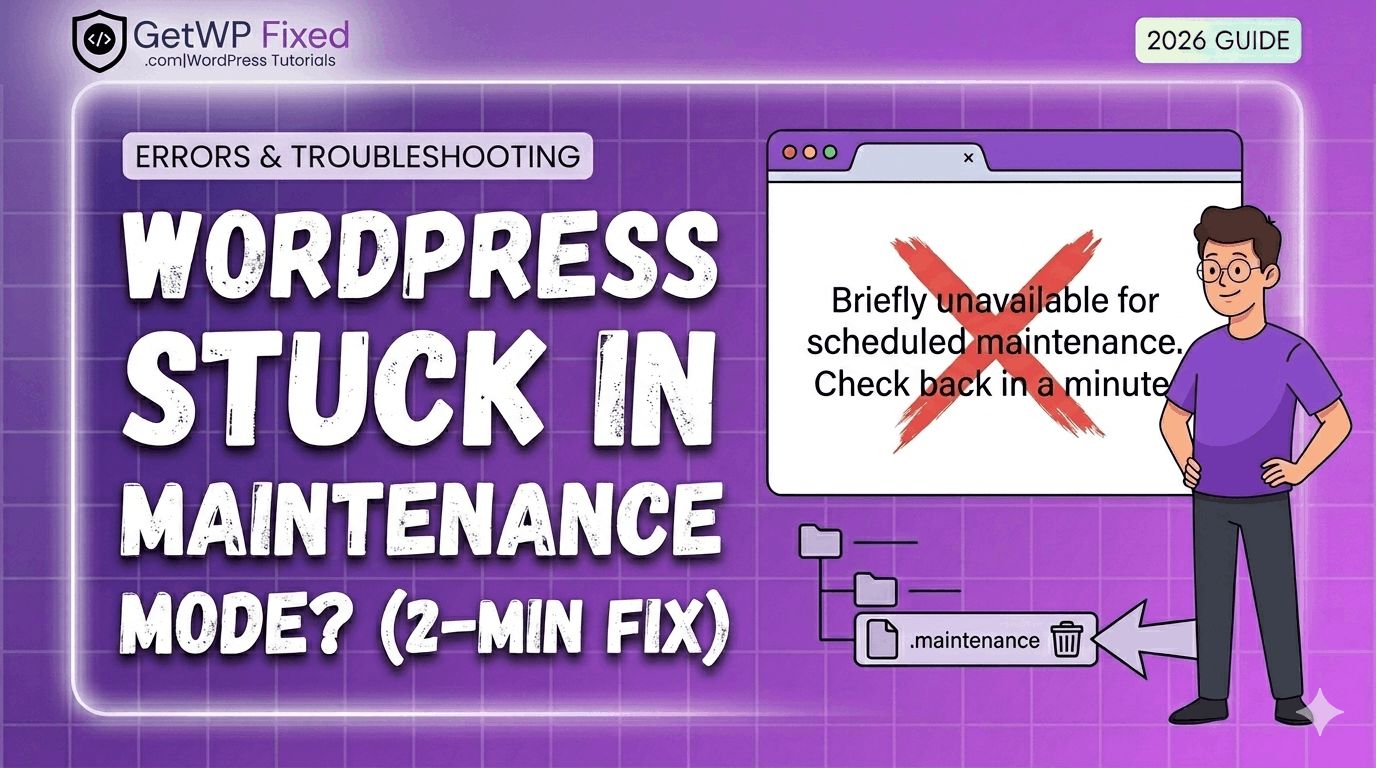
WordPress stuck in maintenance mode

We’ve all been there. It’s 10:00 PM, you’re just finishing up some routine site maintenance, and you see that red “Update” bubble on a plugin. You think, “I’ll just click this quickly before I log off.” You click Update. Your screen refreshes. And suddenly, your entire website—your beautifully designed homepage, your valuable blog posts, your online store—is gone. It’s replaced by a single, terrifying line of plain, white text on a blank screen: “Briefly unavailable for scheduled maintenance. Check back in a minute.” Ten minutes go by. You check back. It’s still there. You try your admin dashboard. It’s blocked, too. Panic starts to set in. At GetWPFixed, I see this issue almost every week. If this is happening to you right now, the first thing I want you to do is take a deep breath. I promise you didn’t break your website. Your data is safe. This isn’t a hack, and it’s not a server crash. It’s just a tiny, stubborn “ghost” file that didn’t delete itself correctly. This is my definitive 2026 guide to resolving this error. By the end of this post, you will understand exactly why this happens, how to fix it in two minutes (most of the time), and how to prevent it from ever happening again. Let’s get your site back online. Part 1: Why Does WordPress Get Stuck in Maintenance Mode? (The Science Behind the Error) To fix the problem permanently, it helps to understand what’s happening behind the scenes. This error is actually a feature, not a bug. 1.1 The Maintenance Mode Process When you click the update button for a core WordPress file, a theme, or a plugin, WordPress needs a “safe space” to make those changes. It can’t have live users navigating the database while it’s trying to rewrite its core files. Here is the four-step “Handshake” process that should happen: 1.2 The Failure: What Went Wrong? The problem occurs when Step 3 finishes but Step 4 fails. The update completes, but the handshake gets “confused,” and the .maintenance file is never deleted. Your site remains locked, still displaying the “DO NOT DISTURB” sign. The most common reasons for this failure are: Now that we know why we are stuck, let’s fix it. Part 2: The Easiest Fix (Try This First) Before we start messing with files and code, try the simplest “non-techy” solutions. There is a 90% chance one of these two steps will fix it instantly. Fix #1: Force Refresh (The Hard Refresh) Sometimes, your site is actually already fixed, but your browser is still showing you a “cached” version of the error. A standard refresh won’t work. You need to tell your browser: “Forget everything you think you know about this URL, and load a fresh version from the server.” This is called a “Hard Refresh” or “Clear Cache for this Page.” Fix #2: Clear Your Browser Cache and Cookies If the hard refresh didn’t work, your browser might be stubbornly clinging to the memory of that error page in its cookies. Try opening your site in an Incognito or Private window. If it loads there, you are fixed! Just clear your browser cache and cookies, and your standard window will work again. Part 3: The Technical Fix (Deleting the Stubborn File) If you have tried the “easy fixes” and your site is still showing the maintenance message, you have to get your hands dirty. We need to manually delete that .maintenance file. Don’t panic—this is as scary as it sounds. You just need access to your site’s root directory (the core “filing cabinet” of your WordPress install). What You Will Need There are two ways to do this. I will show you both. Method A: Using CPanel’s File Manager (Easiest Method) If your host uses CPanel (common with hosts like Bluehost, SiteGround, and many others), this is the fastest way to fix the problem. What If I Don’t See the .maintenanceFile? This is a common frustration. In some File Managers, “hidden” files are disabled by default. If you are in the public_html folder and don’t see the file, look for a “Settings” or “Preferences” cog icon (usually in the top-right corner). Click it, and check the box that says “Show Hidden Files (dotfiles).” The .maintenance file should now appear. Method B: Using an FTP Client (The Developer Way) If you don’t use CPanel or prefer to use an FTP client, you can follow these steps. For this example, I am using FileZilla (which is free and safe). Part 4: Advanced Troubleshooting (What If Method A and B Failed?) So, you’ve deleted the .maintenance file, you’ve cleared your cache, and your site is still stuck. This is a much rarer scenario, but it happens. If deleting the file didn’t work, it means that the problem wasn’t the .maintenance file at all—it means your server is physically stuck in the middle of a conflict and doesn’t know how to stop. Here is what you need to do next, in order of likelihood: 4.1 Check Your PHP Memory Limit A very common reason an update fails in 2026 is that the update itself required more temporary “brainpower” (memory) than your host allows. If your site hit its limit, the update process stopped, but the maintenance signal got stuck. You can increase this limit easily by adding a line to your wp-config.php file (the same place you found that .maintenance file!). Open wp-config.php and paste this line just before the text that says “That’s all, stop editing! Happy publishing.”: define(‘WP_MEMORY_LIMIT’, ‘512M’); We have a dedicated [post on fixing memory limit errors] if you need more help with this! Increasing the memory often “nudges” the server to complete the pending processes. 4.2 Manually Deactivate Your Plugins If increasing the memory didn’t work, we must assume that one of your plugins (the one you just tried to update, or another one) is in an active conflict. Since you can’t access your admin dashboard to disable them, we have to do it … Read more

How to Hide Your WordPress Login Page (The Easiest Way to Stop Bot Attacks)

hide WordPress Login Page

If you have ever checked your site’s security logs and seen hundreds of failed login attempts from countries you don’t even live in, don’t panic. You aren’t being personally targeted—it’s just the reality of the internet in 2026. Bots are constantly “knocking” on the door of every WordPress site by trying to access the default /wp-login.php or /wp-admin pages. At GetWPFixed, I always tell my clients: the easiest way to stop a thief is to make sure they can’t even find the front door. By hiding your login URL, you instantly block about 99% of brute-force bot attacks. Why the Default Login is a Risk Every WordPress site in the world uses the same login address by default. Because hackers know this, they set up automated scripts to try thousands of password combinations on that specific page. Even if they don’t get in, these constant “hits” can slow down your server and eat up your resources. The Solution: WPS Hide Login While there are many complex ways to do this with code, I prefer the “set it and forget it” method. I’ve used WPS Hide Login on dozens of websites. It’s lightweight, it doesn’t slow down your site, and it just works. How to Set It Up (In 2 Minutes) CRITICAL TIP: Once you hit save, bookmark your new login URL immediately! If you forget it, you will be locked out of your own site (though you can always fix this by deleting the plugin folder via FTP if you get stuck). Final Thoughts Security doesn’t have to be complicated. Hiding your login page is a simple “fix” that gives you peace of mind and keeps your server running smoothly. Combined with a strong password, your site is now much safer than most. Have you ever seen a “Critical Error” after installing a security plugin? Let me know in the comments—I’ve seen them all and I’m here to help!

4 Best Free Theme Builder Plugins for WordPress (2026)

Free theme builder plugins

Let’s be honest: Elementor Pro is amazing, but not everyone has the budget for it when they are just starting out. The biggest “missing piece” in the free version of Elementor is the Theme Builder—the tool that lets you design your own custom headers, footers, and blog post layouts. If you’ve ever felt “stuck” with your theme’s default header or footer, I have good news. You don’t need to reach for your credit card just yet. At GetWPFixed, I’m all about finding smart workarounds. Here are the best free theme builder plugins that give you Pro power for $0. “Before you start building with these free tools, make sure your editor is working smoothly—if you run into any loading issues, here is my guide to fixing the Elementor loading circle.” 1.Jeg Elementor Kit (My Top Choice) By using Jeg Elementor Kit, you can create beautiful-looking websites with just a single click. The magic here is in their template library—you can import a full, professional-looking design instantly. Personally, I have made lots of websites using this plugin, and it is my preferred choice for every new project I start. It’s fast, reliable, and the free version gives you a surprising amount of power. It includes a dedicated Theme Builder menu where you can visually design your header, footer, and even your 404 pages without touching a single line of code. 2. Royal Elementor Addons By using Royal Elementor Addons, you can create beautiful-looking websites with just a single click. The magic here is in their template library—you can import a full, professional-looking design instantly. Personally, I have made lots of websites using this plugin, and it is my preferred choice for every new project I start. It’s fast, reliable, and the free version gives you a surprising amount of power. 3. Happy Addons If you’re looking for a theme builder that feels “fun” but is incredibly powerful, Happy Addons is a great contender. Their free version includes a “Theme Builder” feature that specifically helps you design custom headers and footers. 4.The Plus Addons for Elementor The Plus Addons is like a Swiss Army knife for WordPress. They offer a “UI Builder” in their free version that lets you customize specific parts of your theme that the standard Elementor free version usually locks away. 5. Why Not Just Use a “Block” Theme? In 2026, WordPress itself has become a “Theme Builder” through Full Site Editing (FSE). If you use a theme like Blocksy or Astra, they have built-in header/footer builders that work alongside Elementor perfectly. Sometimes the “best” plugin is actually just using a better theme! Final Thoughts You don’t need a massive budget to have a professional-looking site. Start with Royal Elementor Addons—it’s stable, fast, and gives you that ‘one-click’ professional finish. While these plugins are great, remember that keeping your site secure is just as important. Check out our WordPress Security Guide to keep your new designs safe.” Are you trying to build a specific custom layout right now? Drop a comment below and let’s figure it out together! Check out my Portfolio.

Fix Elementor Widget Panel Not Loading (2026 Guide)

Fixing the Elementor widget panel not loading error

There is nothing quite like the “design flow.” You’ve got your coffee ready, you’ve got a vision for your landing page, and you click “Edit with Elementor”—only to be met with that endless grey loading circle in the widget panel. It’s frustrating, it’s a time-waster, and honestly, it happens to the best of us. At GetWPFixed, I’ve spent countless hours troubleshooting this exact issue. The good news? Your site isn’t broken. Usually, it’s just a case of your server or a rogue plugin being a bit “stubborn.” Let’s get it fixed so you can actually get some work done. The Most Common Culprit: Memory Limits Think of Elementor as a heavy-duty power tool. If your hosting server is only giving it a tiny “battery” (PHP Memory), it’s going to struggle to start. Most hosting providers set the default limit to 128MB or 256MB. For a smooth Elementor experience, you really want that at 512MB. You can usually fix this by adding a single line to your wp-config.php file: define(‘WP_MEMORY_LIMIT’, ‘512M’); (If you aren’t comfortable touching code, just ask your host’s support to “increase the PHP memory limit to 512″ and they’ll do it in two minutes.) Try the “Safety Switch” Elementor actually knows that some servers are a bit picky about how they load data. Because of this, they’ve built in a “Switch Editor Loader Method.” I’ve seen this solve the loading issue about 40% of the time. Just head over to Elementor > Settings > Advanced and toggle that switch to Enable. It changes how the editor requests data and often bypasses the hang-up entirely. The “One by One” Plugin Test I know, I know—nobody likes doing this. But if the two steps above didn’t work, you likely have a plugin conflict. Disable everything except Elementor. If the panel loads, you know the “villain” is one of your other plugins. Turn them back on one at a time until the loading circle returns. Once you find the one causing the clash, see if there’s an update available or look for an alternative. Still Stuck? Sometimes it’s as simple as your browser being tired. Try opening your site in an Incognito/Private window. If it loads there, you just need to clear your browser cache and you’re good to go. Drop a comment below if you’re still seeing that spinning circle—I’d love to help you figure it out! FAQ Will I lose my design if I increase memory? No, increasing memory only gives your site more power to load the editor; it won’t change your content. Is this a bug in Elementor? Not necessarily. It’s usually just a handshake issue between your server and the software.

How to Secure WordPress Login: 3 Essential Steps | GetWPFixed

Secure WordPress Login 1.png

If you’ve ever looked at your site’s raw access logs, you’ve seen it: thousands of requests hitting /wp-login.php every single hour. At GetWPFixed, we manage sites for clients all over the world, and whether you’re running a small blog in London or a massive e-commerce store in Tokyo, the problem is the same. Automated bots are constantly knocking on your door, trying to guess their way in. Relying on just a “strong password” isn’t enough anymore. If a bot tries 10,000 combinations, eventually they might get lucky—or worse, they’ll just slow down your server until it crashes. Here is how we actually protect the sites we manage. 1. Move Your Login Page to Secure WordPress Login By default, every WordPress site has its login at /wp-admin or /wp-login.php. It’s like putting a “Store Vault This Way” sign in a crowded building. Why we do this: Technically, changing your URL is “Security through Obscurity.” It doesn’t fix a vulnerability in the code, but it eliminates the noise. When you move your login to something like /internal-access-only or /getwpfixed-login, 99.9% of those automated bots won’t even find the page to start guessing. Our Recommendation: We almost always use WPS Hide Login. It’s incredibly lightweight. 2. Limit Failed Attempts to Secure WordPress Login WordPress, by itself, allows someone to try a million passwords without ever being blocked. This is a massive oversight. The “War Story”: We recently took on a client who was experiencing “random” site slowdowns. It turned out they weren’t being “hacked” in the traditional sense, but a brute-force attack was hitting their login page so hard that the database was overwhelmed just trying to check the incorrect passwords. How to fix it: You need a “3 strikes and you’re out” rule. For a global audience, we recommend setting a long lockout period. If someone misses three times, block them for 24 hours. A real human user can email you if they get stuck; a bot will just move on to an easier target. 3. Use 2FA to Secure WordPress Login (Non-Negotiable) If you take only one thing away from this guide, let it be this: Passwords are no longer enough. With the number of data breaches happening globally, there’s a good chance one of your old passwords is already in a hacker’s database. How it works: 2FA adds a second step. Even if a hacker has your username and your password, they still can’t get in without a one-time code from your phone. Our Expert Opinion: Don’t use “Email codes” for 2FA—they are slow and can be intercepted. Use an app like Google Authenticator or Authy. Summary: Your Checklist to Secure WordPress Login Security doesn’t have to be a month-long project. You can do this in 15 minutes: Still Feeling Vulnerable? Managing security for a global website can be a full-time job. At GetWPFixed, we live and breathe WordPress security. Whether you’ve been hacked and need a clean-up, or you just want to make sure you’re as safe as possible, we’re here to take that weight off your shoulders.

5 Ways to Increase Maximum File Upload Size in WordPress (2026 Guide)

Increase Maximum File Upload Size in WordPress

⚠️ SAFETY FIRST: Before making any technical changes or editing your site’s code, please ensure you have a full backup of your website and database. If you aren’t comfortable editing files, consider using a staging site first. Need professional help? [Contact Us]. If you are looking to increase maximum file upload size in WordPress, you’ve likely run into the frustrating ‘upload_max_filesize’ error. By default, many hosting providers set this limit as low as 2MB or 8MB—which is barely enough for a single high-resolution photo today. The Symptom: What are you seeing? When you go to Media > Add New, you will see a small text label that says: “Maximum upload file size: 2 MB.” If your file is even 0.1KB over that limit, WordPress will block the upload and show a red error bar. The Quick Fix (1-Minute Solution) If you have a modern host with cPanel or Plesk, don’t touch any code yet! 5 Proven Methods to Increase Maximum File Upload Size in WordPress. If the Quick Fix didn’t work, one of these technical methods will. We have ranked them from easiest to most advanced. Method 1: The functions.php Method (Theme Level) This is the easiest way to tell WordPress to request more “room” from the server. PHP @ini_set( ‘upload_max_size’ , ’64M’ ); @ini_set( ‘post_max_size’, ’64M’); @ini_set( ‘max_execution_time’, ‘300’ ); Method 2: The .htaccess Method (Apache Servers) If you are on shared hosting (Bluehost, BigRock, MilesWeb etc.), your .htaccess file usually controls these rules. Plaintext upload_max_filesize = 64Mpost_max_size = 64Mmemory_limit = 256M Method 3: The php.ini or .user.ini Method Some hosts require a dedicated configuration file in your root folder. Plaintext upload_max_filesize = 64M post_max_size = 64M memory_limit = 256M Method 4: The wp-config.php Method While less common for upload sizes specifically, increasing your WP Memory Limit often fixes the “timeout” errors that happen during large uploads. PHP define(‘WP_MEMORY_LIMIT’, ‘256M’); Prevention: How to avoid this in the future Still Stuck? Sometimes, no matter what you code, the hosting provider hard-locks these limits. If you’ve tried all four methods and your limit is still 2MB, it’s time to contact your host’s support or [Let GetWpFixed handle it for you]. Next Post:How to Fix a Slow WordPress Website: The Ultimate 2026 Speed Guide

How to Fix a Slow WordPress Website: The Ultimate 2026 Speed Guide

How to Fix a Slow WordPress Website.png

We’ve all been there: you click a link, the browser tab spins, and… nothing. In 2026, if your site keeps people waiting for more than two seconds, they aren’t just annoyed—they’re gone. Learning how to fix slow WordPress website performance isn’t just a technical “nice-to-have” anymore; it’s a requirement for staying visible on Google and keeping your readers engaged. With Google’s latest focus on Interaction to Next Paint (INP) and Largest Contentful Paint (LCP), “fast enough” is a relic of the past. If you’re tired of watching your traffic bounce because of lagging page loads, here is the exact blueprint I use to clear out bottlenecks and get WordPress sites back into the fast lane. 1. Start With a Real-World Speed Audit Before you start toggling settings, you need to know what’s actually broken. While a 0–100 score on Google PageSpeed Insights or GTmetrix looks nice, it isn’t the whole story. 2. Stop Sabotaging Yourself with Cheap Hosting You can’t fix slow WordPress website issues if your foundation is shaky. If you’re still paying $3/month for bottom-tier shared hosting, your Time to First Byte (TTFB) will always be your Achilles’ heel. In 2026, your host should provide PHP 8.3+, NVMe SSD storage, and HTTP/3 support as standard. If they don’t, it might be time to move to a managed provider like Hostinger or MilesWeb or a LiteSpeed-powered server for better native caching. 3. Image Optimization: It’s Not Just About Size Anymore Big images are still the #1 killer of LCP scores, but compression is only half the battle. 4. Be Ruthless With Your Plugins Every plugin you install adds a new layer of code for the browser to chew through. 5. Advanced Caching: Moving Beyond the Basics Caching essentially turns your “active” WordPress site into a static file that loads instantly. For 2026, standard page caching isn’t enough. You need Object Caching (like Redis or Memcached). This allows your server to store database results in the RAM, meaning it doesn’t have to “think” every time a visitor clicks a post. 6. Clean Up Your Technical Debt (CSS & JS) Clutter often hides in your code. Using a tool like WP Rocket or FlyingPress, you should: 7. Spring Cleaning for Your Database Over time, your database gets cluttered with “orphaned” data from old plugins and thousands of post revisions. Use WP-Optimize to prune the junk. Pro Tip: Add a line to your wp-config.php to limit post revisions to 3 or 5. Your future self will thank you. 8. Use a Global CDN If your server is in New York and your reader is in London, physical distance creates lag. Using a Content Delivery Network (CDN) like Cloudflare or Bunny.net puts a copy of your site on “edge servers” worldwide, so the distance between your data and your user is always short. FAQ: Troubleshooting Your WordPress Speed Q: Why did my site suddenly slow down? Usually, it’s a recent plugin update, a spike in “autoloaded” database data, or your host hitting a resource limit. Always check your recent changes first. Q: Can I fix my speed for free? Absolutely. If you use a LiteSpeed server, the free LiteSpeed Cache plugin is incredibly powerful. Manual image optimization and database cleaning also cost $0 but yield huge results. Q: How do I improve mobile speed specifically? Focus on reducing JavaScript execution time. On mobile, processors are weaker, so heavy scripts hit twice as hard. Also, ensure your fonts use font-display: swap so text is readable immediately.